The Dsum function is used to calculate a specified column in a database that correlates with a specified criteria.
=DSUM (database, field, criteria)
- Database: A range of cells containing the database. The top of the database needs to specific the field name.
- Field: The field within the database that is to be summed.
- Criteria: A range of cells that contain the criteria.
Let’s look at the following example.
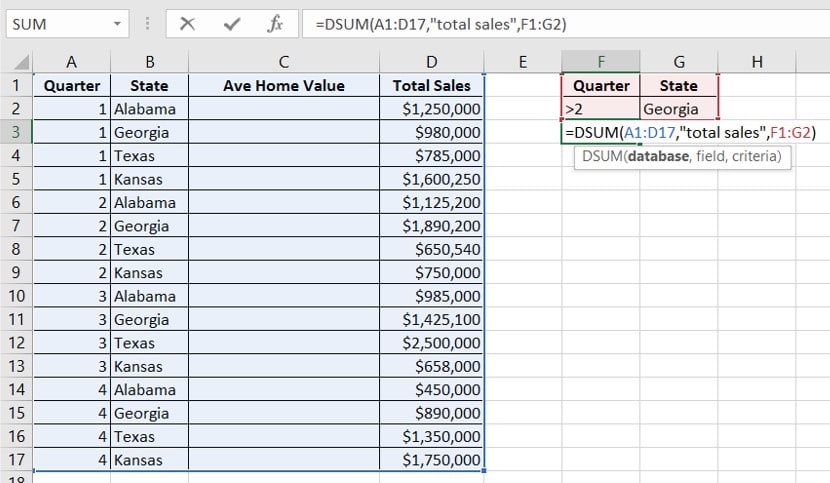
In this case, we are looking at the database, which is cells A1:D17. We then define the field, which is “Total Sales.” Finally, we have to set our criteria which is illustrated in cells F1:G2.
*When defining the field, you can use both upper and lower case letters. You much ensure the field is surrounded in parenthesis.